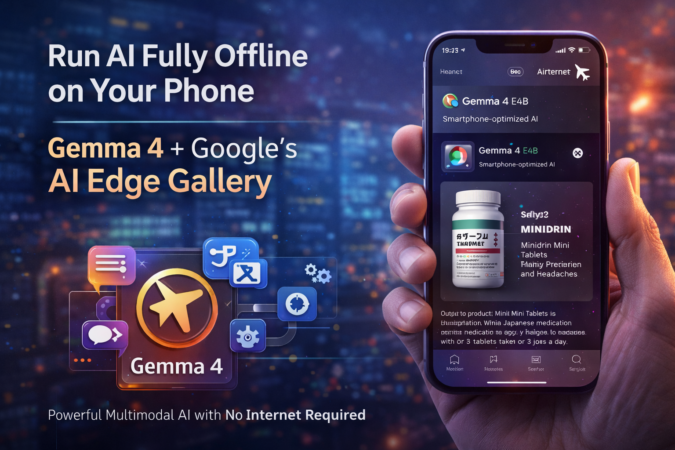
What if your smartphone could run a powerful AI assistant without internet, without cloud, and without API costs?
That’s now possible. Google recently introduced a new generation of compact AI models designed specifically for on-device use, and they can run entirely offline on consumer phones using the AI Edge Gallery app.
This marks a major shift in how AI is deployed — moving from cloud-based systems to fully local intelligence.
Google Just Launched Gemma 4 — Built for On-Device AI
Google DeepMind recently released Gemma 4, the latest open-weight AI model family designed for both high performance and efficient local execution. Unlike traditional large models that require GPUs or cloud infrastructure, Gemma 4 includes edge-optimized variants built specifically for smartphones, tablets, and lightweight devices.
The model family comes in multiple sizes, including:
- Large models for servers and laptops
- Efficient “effective” models for mobile devices
- Multimodal variants supporting text, image, and audio
The most interesting versions are the E4B (~4B effective) and E2B (~2B effective) models. These are compact enough to run directly on phones while still offering advanced capabilities.
What Gemma 4 Can Do (Even Offline)
Despite being small, Gemma 4 includes surprisingly powerful features:
🧠 Chat & Reasoning
- Multi-step reasoning
- Planning and structured outputs
- Context-aware responses
👁️ Vision Understanding
- Analyze images
- Extract text
- Identify objects
- Explain products
🌍 Multilingual Support
- Works across 140+ languages
- Real-time translation
- Cross-language understanding
💻 Code Generation
- Write and explain code
- Debug snippets
- Suggest improvements
🤖 Agent Capabilities
- Multi-step workflows
- Task automation
- Natural language commands
All of this can run completely offline after download.
The AI Edge Gallery App Makes It Possible
To run Gemma 4 and other similar models locally, Google has already released the AI Edge Gallery app. This app allows users to download models directly to their phone and run them without any cloud dependency.
How it works:
- Install AI Edge Gallery
- Download Gemma 4 model (one-time download)
- Turn on airplane mode
- Use AI normally — fully offline
The app supports:
- Chat interface
- Image analysis
- Audio processing
- Agent workflows
Since everything runs locally:
- No internet required
- No data leaves your device
- No API costs
- Faster responses
The Video That Showed This in Action
See the video below-
Gemma 4 running on my iPhone works without internet, is blazing fast and can translate Japanese from a pill bottle.
— NetworkChuck (@NetworkChuck) April 5, 2026
Local AI models running on a phone feels like magic. pic.twitter.com/jSDWJIVJfb
A recent video demonstrated this setup running on an iPhone. The device was placed in airplane mode to confirm that no internet connection was used.
The AI was then given a photo of a Japanese pill bottle.
Within seconds, the model:
- Translated the Japanese text
- Identified the product
- Explained its purpose
- Provided usage instructions
All of this happened directly on the phone, proving that advanced multimodal AI can now run locally.
This demo highlighted how fast on-device AI has progressed.
Why This Is a Big Deal
This shift changes several things:
🔒 Privacy-First AI
Your prompts, images, and data never leave your phone.
⚡ Near-Instant Responses
No server latency or network delays.
📶 Works Without Internet
Perfect for travel, restricted environments, or remote areas.
💰 No Usage Costs
Once downloaded, you can use it unlimited times.